

A transfer that looks great on the press but starts lifting at the edges can cost more than one shirt. It can delay an Etsy order, create a customer-service issue, and make a full production run feel risky. The good news is that most problems with DTF transfers peeling come down to a few controllable application details.
We see the same pattern in apparel shops across Tempe, Phoenix, Mesa, Chandler, Gilbert, Scottsdale, and nationwide. The transfer is usually not “bad.” More often, the adhesive did not receive the right combination of real heat, even pressure, correct peel timing, and post-press finishing.
The Fast Diagnosis: Why DTF Prints Start Lifting
Peeling usually points to incomplete bonding, uneven pressure, early peeling, moisture, or harsh wash care. Start by identifying when the failure happens, because that tells you what to fix before you ruin another blank.
| What You See | Most Likely Cause | First Fix |
|---|---|---|
| Design lifts with carrier film | Peeling too early or under-pressing | Lay film back down and re-press |
| Edges lift first | Uneven platen pressure | Reposition away from seams and increase contact |
| Print fails after first wash | Missed final press or poor wash care | Finish press and wait 24 hours before washing |
| Center sticks, corners fail | Uneven heat or garment thickness | Use a pressing pillow or thread the garment |
| Print looks bonded but cracks | Overheating or stretching while warm | Lower heat for sensitive blanks and cool flat |
Five Star DTF’s verified starting point for standard cold-peel transfers is 315°F for 15 seconds with firm to high pressure, a 3 to 5 second pre-press, full cooling before peeling, and an optional 5-second finishing press. Polyester and activewear need lower heat, so always test your specific garment first.
The Biggest Causes of Problems With DTF Transfers Peeling
A reliable DTF bond requires the whole process to work together. Changing only the temperature or only the press time can hide the real issue instead of correcting it.
Your Heat Press Is Not Reaching Its Displayed Temperature
A digital display can say 315°F while the platen is running cooler in one area. That gap is enough to leave adhesive only partially activated, especially on wide graphics and fine lettering.
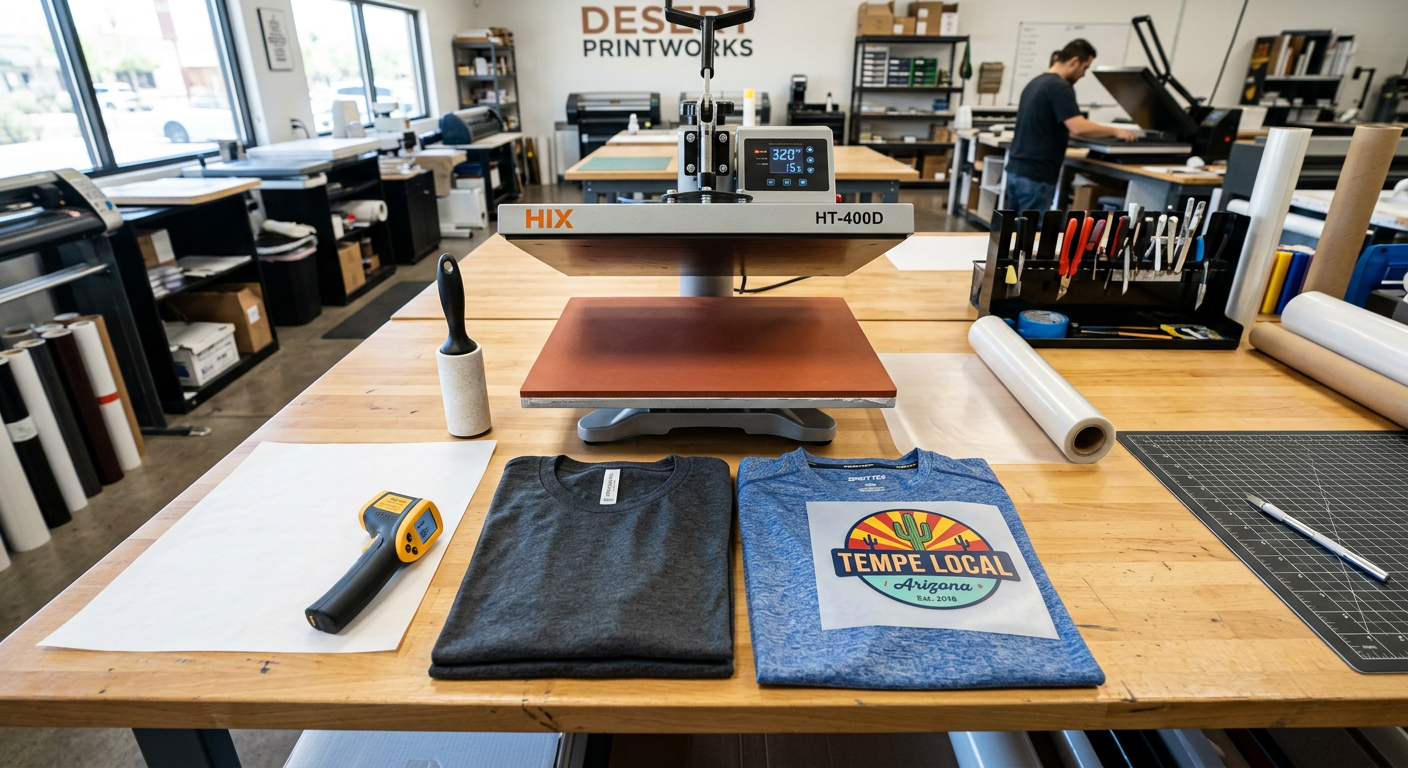
Use a heat gun, temperature strips, or a platen thermometer to test the center and corners. If the readings vary, avoid pressing large designs near the outer edge of the platen until the press is calibrated or serviced. A centered transfer gets more consistent heat and pressure than one placed over a cold spot.
Pressure Is Too Light or Uneven
DTF adhesive needs strong, even contact with the fabric. Light pressure can make the transfer appear attached at first, then release during stretching or washing.
Check the garment surface before pressing. Seams, zipper tracks, thick pocket edges, buttons, collars, and drawstrings prevent the platen from closing evenly. Thread the garment onto the lower platen when possible, or use a pressing pillow to raise the print zone and keep the design flat.
The Garment Was Not Pre-Pressed
Moisture is a quiet cause of DTF peeling. Cotton, blends, and garments stored in humid conditions can hold enough moisture to interfere with clean adhesion.
Pre-press for 3 to 5 seconds to flatten fibers and release moisture. Then lint-roll the print area before positioning the film. This small habit keeps fibers out of the adhesive and gives your transfer a cleaner, more durable bond.
The Film Was Peeled at the Wrong Time
Hot-peel, warm-peel, and cold-peel films are not interchangeable. Peeling a cold-peel transfer while it is still warm can pull small details, edges, or the entire graphic back up with the carrier.
Follow the instructions that came with the specific transfer, not settings from a different supplier or vinyl product. For Five Star DTF cold-peel transfers, let the garment cool completely, then peel slowly from one corner at a low angle. If any section lifts, stop, lay the film back down, cover it with parchment, and re-press before trying again.
Use a Repeatable Press Workflow for Every Batch
The best prevention is a controlled workflow, not guessing from shirt to shirt. For small businesses and print shops, a consistent process protects margins and keeps customer orders looking the same from the first piece to the fiftieth.
A Reliable Standard DTF Process
- Check the garment fiber content. Cotton and blends can generally take standard settings. Polyester, nylon, and performance wear need lower temperatures to reduce dye migration and scorching risk.
- Pre-press for 3 to 5 seconds. Remove wrinkles and moisture without over-flattening the fabric.
- Lint-roll the print area. Loose fibers can block the adhesive from reaching the garment.
- Press using verified settings. For standard Five Star DTF transfers, use 315°F, firm to high pressure, and 15 seconds on cotton and blends.
- Cool completely for cold peel. Do not rush the peel because the carrier feels only slightly warm.
- Peel low and steady. Pull the carrier back close to the shirt instead of lifting it upward.
- Finish press for 5 seconds. Cover the exposed print with parchment paper or a suitable protective sheet for a more secure bond and a smoother finish.
- Let the garment rest before washing. Give it at least 24 hours before the first wash.
Cricut’s current DTF care guidance also recommends waiting 24 hours before washing, turning garments inside out, using cold water, and tumble drying on low. Its DTF help center notes that properly applied transfers can last up to 75 washes, while incorrect heat, pressure, or peel timing can cause lifting. Read the DTF application and care guidance from Cricut.
For a print-shop-ready reference, keep our DTF heat press instructions and troubleshooting guide beside your press. It gives fabric-specific starting settings for cotton, polyester, blends, nylon, and stretch fabrics.
Fix a Transfer That Is Already Lifting
You can often save a transfer that starts lifting during the peel, as long as the print has not stretched, wrinkled, or collected lint. The key is to stop pulling instead of forcing the film away.
When the Design Lifts With the Carrier
Lay the carrier back into its original position. Cover the film with parchment or a heat-safe protective sheet, then press again with firm, even pressure. Let the garment cool fully before another peel attempt.
If the same spot lifts again, inspect what is underneath it. A seam, pocket edge, thick weave, or uneven platen area is usually the culprit. Move the garment, use a pillow, or adjust your setup before trying a new transfer.
When the Edges Peel After Washing
First-wash peeling commonly indicates that the original press did not fully bond the adhesive, or the garment went into the wash too soon. If the edges are only slightly lifted and the shirt is clean, a covered finishing press may help reseal the area.
For future orders, document the exact blank brand, fiber content, time, temperature, pressure level, peel method, and wash result. This is especially valuable for recurring orders such as team shirts, staff uniforms, and online apparel drops. A simple test shirt can prevent an expensive batch failure.
When Polyester or Activewear Causes Trouble
Performance fabrics need more caution than cotton. Excess heat can cause scorching, press marks, or dye migration, while too little heat leaves the adhesive weak.
Start lower. Five Star DTF recommends 300°F for 10 to 12 seconds on polyester and activewear, using cold peel. Test one garment before running inventory, especially with red, maroon, navy, and other heavily dyed performance blanks.
Fabric, Equipment, and Product Choices Matter
Not every decorating method suits every job. DTF is a strong option for full-color artwork on cotton, polyester, blends, and many stretch fabrics, but the pressing process must match the blank.
HTV can be a solid choice for simple names, numbers, and one-color personalization, but it requires cutting and weeding. Screen printing is often efficient for high-volume runs of the same artwork, but it involves setup and is less flexible for on-demand small orders. DTF gives creators a practical middle path for detailed color artwork with no minimum order requirement, provided the press operator controls the application process.
Specialty films deserve their own testing. For example, Glitter DTF transfers for high-impact apparel add a textured sparkle finish for spirit wear, boutiques, dance teams, and event merch. Treat specialty finishes as their own production setting, not as an automatic match for standard film.
For hard goods, do not use apparel DTF transfers at all. UV DTF stickers for hard, non-porous surfaces are made for glass, plastic, metal, ceramics, leather, and similar items, with no heat press required.
Press-Test Routine for Small Shops and Etsy Sellers
A short test routine catches DTF problems before they reach a customer. It takes a few minutes and gives you a dependable production baseline for each blank type.
The Three-Shirt Test
Press three samples using the same artwork and blank:
- Sample one: Your normal production settings.
- Sample two: Same settings with slightly more pressure.
- Sample three: Same pressure with a small time adjustment that stays within the garment’s heat tolerance.
Allow all samples to rest for 24 hours. Then wash them inside out in cold water and dry on low. Check the edges, fine details, stretch areas, and opaque white sections. Keep the winning settings in a job log.
This routine is especially useful when switching heat presses, adding a new blank supplier, or pressing thicker hoodies. It also creates real confidence when customers ask about durability.
Questions We Hear About Peeling DTF Transfers
Can I use a household iron to apply DTF transfers?
You can, but a heat press is much more reliable. Household irons have steam holes, uneven heat zones, and inconsistent pressure, which makes peeling more likely, especially on larger graphics.
Is a second press required for DTF?
A final press is strongly recommended for most production work. It helps reinforce the bond, smooth the print surface, and reduce the chance of early edge lifting.
Why does my transfer peel only around small letters?
Small letters need even heat and pressure across every detail. Check for lint, peel timing, low pressure, and platen cold spots, then make sure your artwork does not contain details that are too thin for the intended garment texture.
Can I re-press a DTF transfer after it has been washed?
Sometimes, yes, if the garment is clean and the lifting is minor. Cover the print with parchment, apply controlled heat and pressure, and avoid stretching the affected area, but severe peeling may not be recoverable.
Do DTF transfers work on hoodies and fleece?
Yes, but fleece texture and thick seams can affect pressure. Keep the transfer away from bulky seams, thread the garment when possible, and use a pillow or pad to create an even print surface.
Why does a DTF print look good until the customer washes it?
The adhesive may have only partially bonded during the first press. Missed pre-pressing, weak pressure, incorrect peel timing, no final press, washing too soon, and high dryer heat are common causes.
Get Press-Ready Transfers Without the Guesswork
When speed matters, use transfers printed for dependable application and follow settings built for your film type. Five Star DTF is Arizona’s go-to DTF print shop for small businesses, Etsy sellers, apparel creators, and print shops that need premium transfers fast, with same-day printing, no minimums, free shipping over $100, and local pickup in Tempe.
Order DTF transfers online
📍 Local pickup: 305 S Rockford Dr Ste B, Tempe, AZ 85281
Need help diagnosing a press issue before your next run? Contact our team at Five Star DTF customer support.
Summary
Most problems with DTF transfers peeling are preventable. Confirm real platen temperature, pre-press the garment, use firm and even pressure, follow the correct peel method, complete a covered finishing press, and protect the finished garment with smart wash care.
A durable transfer is not a mystery. It is the result of a repeatable press process, tested settings, and quality film matched to the right fabric.
About Five Star DTF
Five Star DTF is Arizona’s leading provider of
DTF transfers, Glitter DTF prints, UV DTF stickers,
and Sublimation transfers — offering same-day printing, fast nationwide shipping,
and convenient local pickup in Tempe, Arizona.
We proudly serve Tempe, Scottsdale, Phoenix, Mesa, Gilbert, Chandler, and all of Arizona,
helping creators, apparel brands, small businesses, and print shops produce premium, press-ready transfers with
vivid color, soft stretch, and long-lasting durability.
There are no setup fees, no minimum orders, and turnarounds are always fast.
Our Top Products
- DTF Transfers
- Glitter DTF Transfers
- UV DTF Stickers
- Sublimation Transfers
- Press Instructions & Tips
- Contact & Local Pickup
Artwork Help
Need your artwork cleaned, fixed, resized, or made print-ready? We offer background removal, vectorizing, color correction, and gang sheet layout.
Ready to Print?
Order DTF Transfers or
Upload Your Artwork to get started today.
All orders over $100 ship free — printed in Tempe, AZ and shipped statewide and nationwide.