
A packed gang sheet can turn a handful of small apparel orders into an organized, profitable production run. The key is not simply filling every open inch. It is building a clean layout that prints at the right size, cuts safely, and stays easy to sort when the transfers arrive.
When we make DTF gang sheets for small businesses, Etsy sellers, apparel brands, and print shops, we start with the final garment and work backward. That approach protects print quality, prevents wasted film, and makes pressing faster once the order hits your heat press.
Start With the Final Print Size
The best DTF gang sheets are planned around the finished garment, not around whatever image files happen to be available. Size every design before you build the sheet, because enlarging a low-resolution file after layout usually creates soft edges and pixelated prints.
A reliable starting point is to decide where every design will land before opening your layout tool. A left-chest logo, full-front graphic, sleeve print, youth size, and back-neck label all need different dimensions. Keep an order note beside your artwork so you know the garment size, placement, and quantity for every design.
| Print Location | Common Starting Size | Best Use |
|---|---|---|
| Left chest | 3.5 to 4 inches wide | Logos, monograms, uniforms |
| Adult full front | 10 to 12 inches wide | Merch and graphic tees |
| Youth full front | 7 to 9 inches wide | Kids apparel |
| Sleeve print | 2.5 to 3.5 inches wide | Names, icons, branding |
| Back-neck label | 2 to 3 inches wide | Private-label apparel |
Five Star DTF accepts PNG, EPS, and AI files in RGB or CMYK, so we recommend preparing files at their finished print dimensions before upload. Their DTF transfer ordering page also lists a 300 to 325°F press range and 10 to 15 second press time for standard transfers, which helps you plan a consistent production workflow from layout to final press.
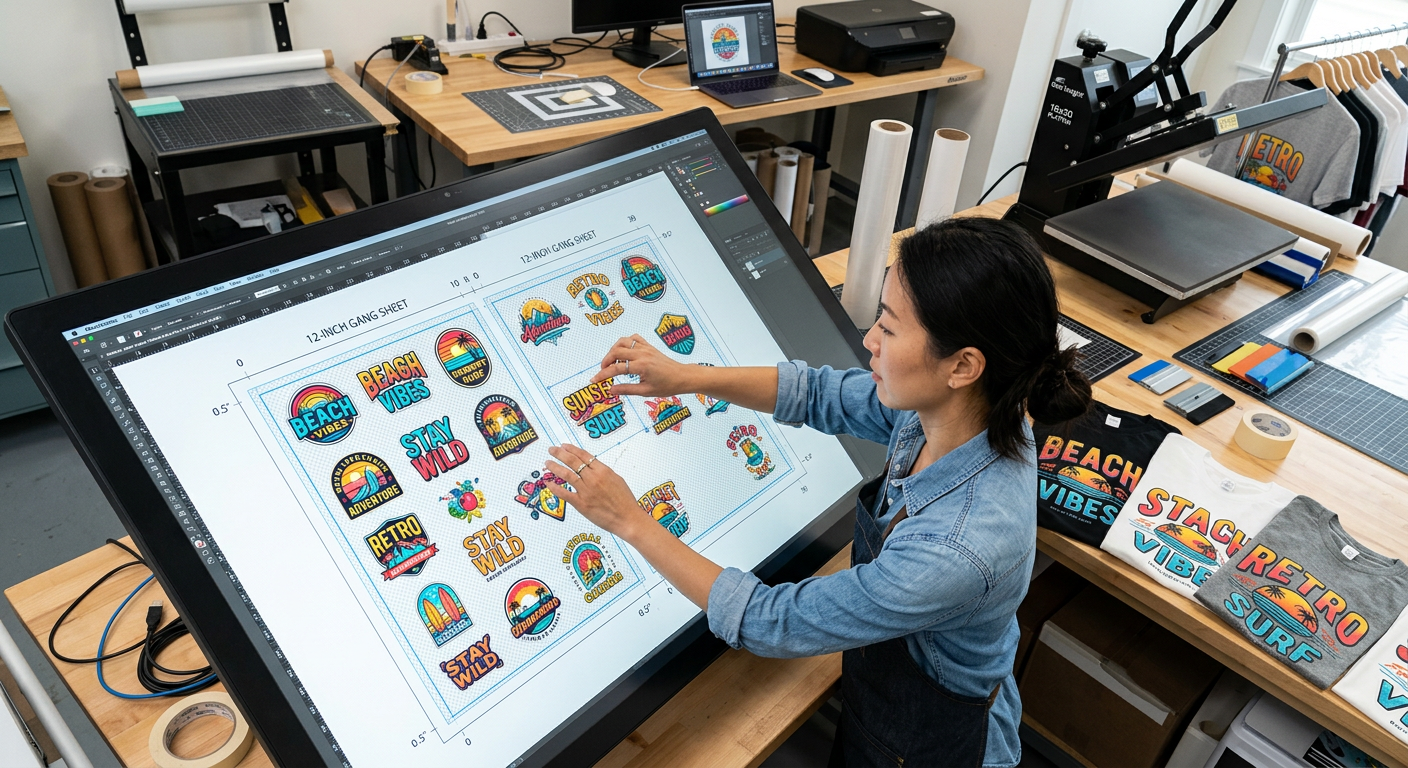
Build the Canvas to Match Your Order
Your canvas must match the exact dimensions of the gang sheet you intend to order. This keeps your sizing accurate and avoids a frustrating surprise when a design prints smaller or larger than planned.
Choose the Right Design Tool
We can build a gang sheet in Canva, Adobe Photoshop, Illustrator, Affinity Designer, Photopea, or a supplier’s online gang sheet builder. The best option depends on how much control you need.
- Canva works well for simple layouts, text-based designs, and fast mockups. Export with a transparent background at the highest available quality.
- Photoshop is ideal for PNG artwork, exact placement, and detailed cleanup.
- Illustrator or Affinity Designer works best when you have vector logos, sharp type, and scalable artwork.
- Online builders are useful when you need quick duplication, drag-and-drop placement, and an on-screen proof before checkout.
Set the canvas width and height to the sheet size offered by your printer. Use inches, not pixels, while arranging artwork. Then set the resolution to 300 pixels per inch when working with raster artwork.
Use RGB or CMYK, Not Screenshots
Print files should be clean source files, not social-media screenshots or images copied from a website. Screenshots often look acceptable on a phone but do not carry enough image data for crisp garment printing at full size.
Keep your artwork in RGB or CMYK, and make sure the background is truly transparent. White is not transparency. If a white rectangle exists behind your artwork, it can print as a visible box on the shirt.
Pack the Layout Without Making Cutting Hard
Efficient nesting matters, but an overcrowded sheet creates more trouble than savings. Leave enough breathing room for scissors, a rotary cutter, or a paper trimmer to separate each transfer without nicking nearby artwork.
Place Large Designs First
Start with the largest full-front, full-back, or oversized designs. These are your anchor pieces. Place them along the edges or in a simple grid, then use the remaining areas for smaller chest logos, sleeve hits, neck labels, pocket prints, and sample graphics.
This is where many creators improve their cost per print. A small logo can often fill an awkward gap beside a large design, but it should not make the sheet hard to cut or sort.
Keep Consistent Trim Gaps
We recommend leaving about 0.25 inch between most designs. Add more spacing around intricate shapes, tiny lettering, and designs that need straight cuts. A clean cutting lane is often worth more than squeezing in one extra small transfer.
Use straight rows whenever you are building mixed customer orders. Group one customer’s graphics together, then leave a slightly wider channel before the next order. Add a tiny printed identifier outside the actual artwork only if it will not interfere with the design or garment placement.
Rotate Only When It Helps
Rotating a small graphic can help it fit into an unused area, but do not rotate so aggressively that you create confusing cut paths. Avoid placing designs so close that their edges overlap visually. Your production table should not become a puzzle after the sheet is printed.
Use a Print-Ready Artwork Checklist
A final proof catches mistakes that cost far more than a few extra minutes. Before we upload a sheet, we review it at normal view and again at 100 percent zoom.
Check These Details Before Exporting
- Confirm every design is at its intended physical size.
- Remove white boxes, stray pixels, unwanted shadows, and hidden layers.
- Verify spelling on names, jersey numbers, dates, and business information.
- Check that small text is thick enough to hold detail after pressing.
- Confirm transparent backgrounds are preserved.
- Review quantities. Duplicate the correct number of each graphic.
- Make sure no design sits too close to the outer sheet edge.
- Check artwork rights before producing branded, licensed, or customer-supplied files.
Fine lines deserve special attention. Five Star DTF’s application instructions and troubleshooting guide recommends increasing detail thickness to at least 1 point when tiny details are missing. That is a practical checkpoint for small text, line art, and intricate logo elements.
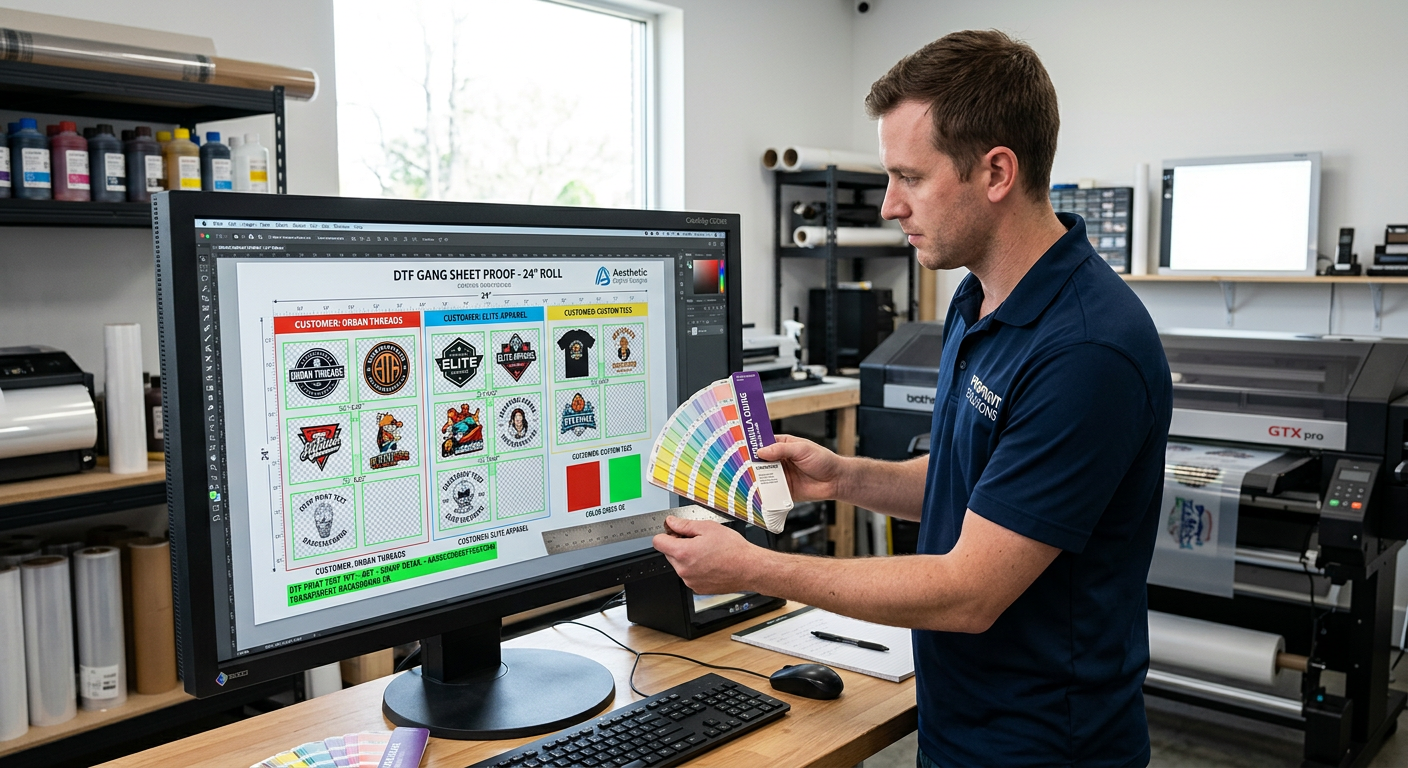
Export the Right File for DTF Printing
A high-quality export preserves transparency, color, and edge detail. For most gang-sheet layouts, a transparent PNG at 300 PPI is the safest choice unless your printer specifically requests a different file format.
Export at the same dimensions as the canvas. Do not shrink the file for email and assume the printer can restore the resolution later. If the file is too large for an upload portal, use a reliable file-delivery method or ask the printer which format they prefer.
Name files clearly. A label like spring-spiritwear-gang-sheet-22x48.png is much easier to identify than final-final-new2.png. Good file names reduce mix-ups when you manage repeat orders, team apparel, or multiple customer jobs.
Know When a Gang Sheet Is the Smart Choice
Gang sheets are best for mixed small designs that pack tightly together. They are not automatically cheaper for every order.
For example, a sheet can make sense if we are printing ten different left-chest logos, several sleeve graphics, and a set of back-neck labels. It may not make sense for 30 copies of the same large front design. In that case, ordering individual transfers can be quicker to build and may reduce wasted film.
Five Star DTF notes that individual transfers are often the more economical route for repeated, medium, or large designs. Use a gang sheet when the mix of small graphics actually fills the available space efficiently. That is print-shop math, not a one-size-fits-all rule.
Press Your Transfers With Consistent Heat and Pressure
A clean layout needs a clean application process. Standard DTF transfers need firm, even contact across the full graphic, especially when pressing larger designs or detailed artwork.
For general standard DTF application, Five Star DTF lists 315°F, firm to high pressure, a 15-second press, a full cold peel, and an optional five-second final press. Polyester and activewear may require lower heat, so test one transfer first and follow the garment’s heat tolerance.
For sparkle-heavy projects, use Glitter DTF transfers as a separate product choice instead of assuming standard artwork will have glitter effects. For tumblers, glass, acrylic, and other smooth hard goods, choose UV DTF stickers for hard surfaces rather than fabric DTF transfers.
Get Press-Ready Transfers Printed in Tempe
We make it easy to move from an approved layout to press-ready apparel transfers without buying or maintaining a DTF printer. Five Star DTF offers no-minimum orders, same-day printing and shipping for qualifying orders placed by 1 PM MST, free shipping on orders over $100, and local pickup in Tempe, Arizona.
Order online: https://fivestardtf.com/product/dtf-transfers/
📍 Local pickup: 305 S Rockford Dr Ste B, Tempe, AZ 85281
Need a file check or a special production request? Reach out through the Five Star DTF contact page before placing your order. We are printed in Tempe and shipped nationwide.
FAQ
What is the easiest way to make a DTF gang sheet?
The easiest method is using an online gang sheet builder or a simple design tool with rulers set to inches. Upload print-ready graphics, size each design for its final garment placement, leave trim gaps, and export with transparency preserved.
Can I put different designs on the same gang sheet?
Yes. A gang sheet can contain different logos, shirt graphics, names, sleeve prints, labels, and artwork for multiple customers. Group related designs together so cutting and sorting stay organized.
Do I need to mirror my DTF gang sheet artwork?
No, do not mirror artwork unless your printer specifically instructs you to do so. Submit artwork reading normally because DTF production handles the transfer orientation during printing.
How much space should I leave between DTF designs?
Leave about 0.25 inch between most designs as a practical starting point. Increase that space for detailed artwork, irregular shapes, or layouts that need easy straight cuts.
Can I use JPG files for a DTF gang sheet?
A JPG can work if the background is intentionally solid, but it does not support true transparency. PNG is usually the better choice for apparel graphics because it preserves transparent backgrounds and clean edges.
Are gang sheets cheaper than individual DTF transfers?
They can be cheaper when you have many different small graphics that fit tightly together. For repeated large designs or artwork that leaves a lot of unused space, individual transfers may provide better value and a simpler ordering process.
Summary
A strong gang sheet starts with correctly sized artwork, a canvas matched to the order, clean transparent backgrounds, and enough spacing to cut without stress. Build around the finished garment, place large designs first, proof every detail, and choose a gang sheet only when the layout genuinely saves space.
Build Smarter Sheets, Then Press With Confidence
The goal is not to cram every pixel with artwork. The goal is to create a production-ready layout that protects quality, speeds up cutting, and gives every customer the correct transfer at the correct size.
With a disciplined layout process, DTF gang sheets become a reliable tool for growing your apparel business. We recommend keeping your best layouts as reusable templates, especially for school spirit wear, company uniforms, seasonal drops, and repeat Etsy orders.
About Five Star DTF
Five Star DTF is Arizona’s leading provider of
DTF transfers, Glitter DTF prints, UV DTF stickers,
and Sublimation transfers — offering same-day printing, fast nationwide shipping,
and convenient local pickup in Tempe, Arizona.
We proudly serve Tempe, Scottsdale, Phoenix, Mesa, Gilbert, Chandler, and all of Arizona,
helping creators, apparel brands, small businesses, and print shops produce premium, press-ready transfers with
vivid color, soft stretch, and long-lasting durability.
There are no setup fees, no minimum orders, and turnarounds are always fast.
Our Top Products
- DTF Transfers
- Glitter DTF Transfers
- UV DTF Stickers
- Sublimation Transfers
- Press Instructions & Tips
- Contact & Local Pickup
Artwork Help
Need your artwork cleaned, fixed, resized, or made print-ready? We offer background removal, vectorizing, color correction, and gang sheet layout.
Ready to Print?
Order DTF Transfers or
Upload Your Artwork to get started today.
All orders over $100 ship free — printed in Tempe, AZ and shipped statewide and nationwide.