

A cracked graphic can turn a great custom shirt into a refund, a reprint, or a customer-service headache. The good news is that problems with DTF transfer cracking are usually preventable when we control the full process, from garment prep to the final wash instructions.
For print shops, Etsy sellers, apparel brands, and creators, cracking is rarely one single failure. It is often the result of a small miss in pressure, heat accuracy, peel timing, garment stretch, design coverage, or post-press finishing. Fix the root cause, and your shirts stay flexible, vivid, and ready for repeat wear.
What Causes DTF Transfers to Crack?
DTF cracking happens when the printed adhesive layer cannot move with the fabric or was not fully bonded during application. The fastest way to troubleshoot is to identify when the cracking appears: immediately after pressing, after the first wash, or only when the garment stretches.
| When It Cracks | Most Likely Cause | First Fix to Try |
|---|---|---|
| Right after pressing | Too much heat or pressure | Lower settings slightly and test |
| During peeling | Wrong peel timing | Follow the transfer's peel method |
| After first wash | Weak bond or skipped finish press | Recheck pressure and final press |
| Only on stretch areas | Oversized solid artwork | Reduce ink coverage or redesign |
| Random edges crack | Uneven platen contact | Check seams, zippers, and padding |
Cricut notes that properly applied DTF transfers can last up to 75 washes while retaining color and detail, but temperature, pressure, and peel timing must be followed precisely. That makes application consistency just as important as print quality. Cricut DTF Help Center explains why those variables matter. (help.cricut.com)
1. Your Heat Press Is Not Delivering True Heat
A display reading of 315°F does not guarantee that every area of the platen is actually at 315°F. Cold spots, uneven heating, and an uncalibrated press can leave adhesive partially activated, which may look fine at first but crack or lift after laundering.
Use a temperature strip, probe, or heat gun to check multiple areas of the platen. Test the center, corners, and any location where you regularly press full-front graphics. If you find a significant difference, adjust the set temperature or service the press before running a production order.
For standard Five Star DTF transfers, our verified starting point is 315°F for 15 seconds with firm to high pressure, followed by a full cold peel and an optional five-second finishing press. See our detailed DTF pressing instructions and troubleshooting steps before changing settings blindly. (fivestardtf.com)
Avoid Overheating the Print
More heat is not always more durable. Excessive heat can make a transfer feel overly stiff or brittle, especially on large solid-color graphics. Start with the supplier’s recommended setting, confirm actual platen temperature, and make only small adjustments after a controlled test.
2. Pressure Is Too Light or Uneven
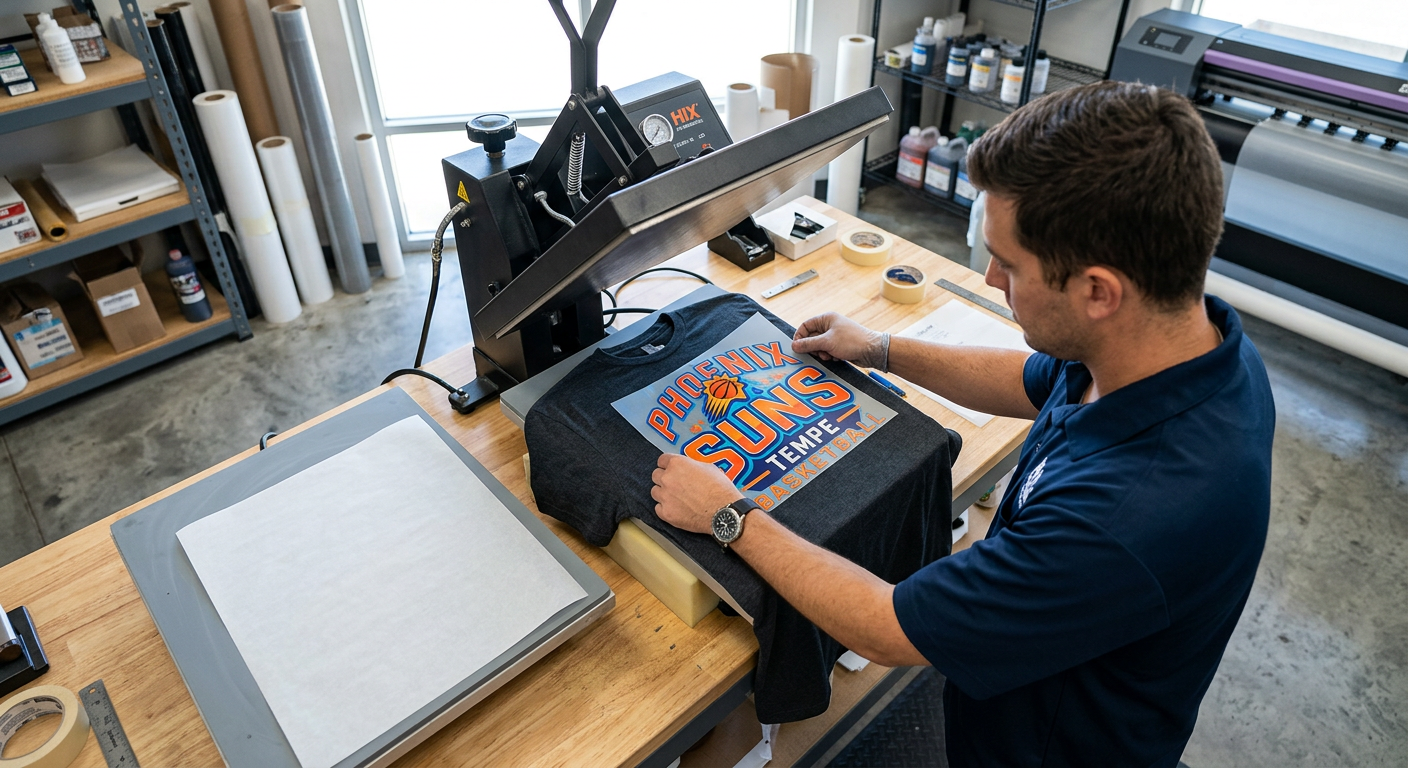
DTF adhesive needs firm, even contact with the garment fibers. A light press can cause weak adhesion around fine lettering, edges, or the center of a large graphic. Uneven pressure can create a transfer that survives one stretch test but starts cracking after washing.
Pre-press the shirt to remove wrinkles and moisture, then make sure the graphic sits on a completely flat area. Avoid pressing directly over thick seams, pockets, hood strings, zippers, or raised collars without a pressing pillow or suitable support pad.
A professional clamshell or swing-away press is the dependable option for repeatable production. Small hobby presses can work, but they require extra care to overlap presses evenly and maintain firm pressure across the entire design.
3. The Garment Was Not Pre-Pressed
Moisture is an overlooked cause of cracked or under-bonded DTF prints. Cotton, blends, and garments stored in humid spaces can hold moisture that interferes with adhesion during the main press.
We recommend a short pre-press before applying the transfer. This smooths the fabric, removes moisture, and gives the adhesive a cleaner surface to bond with. It is a simple production habit that prevents a surprising number of durability problems.
Do not skip lint removal either. Loose fibers, dust, and stray threads can disrupt clean contact and leave weak areas around the design.
4. The Peel Was Rushed or Used at the Wrong Temperature
A cold-peel transfer needs time to cool completely before the carrier film comes off. Peeling early can stress the adhesive before it has stabilized, leaving micro-lifting that becomes visible as cracking after the first wash.
Follow the peel method for the specific film, not a generic setting from another transfer brand. DTF products vary. Some require a cold peel, while other systems use hot or warm peel instructions. STAHLS recommends following the exact time, temperature, pressure, and peel instructions for the transfer product being used. STAHLS Application Instructions also emphasizes correct care and storage conditions for heat-applied materials. (assets.stahls.com)
Use a Slow, Controlled Peel
Peel steadily from one corner at a low angle. If an edge begins lifting, lay the film back down, cover the transfer if needed, and press again rather than pulling harder. A rushed peel can turn a recoverable press issue into a ruined garment.
5. The Design Has Too Much Solid Ink Coverage
Large, dense chest prints do not flex like thin lettering or open artwork. When a heavyweight graphic covers a high-stretch area, such as the chest of a fitted tee or the back of leggings, the film can be stressed every time the fabric moves.
This does not mean you must avoid bold art. It means we should design for the garment’s use. Break up extra-large solid areas with intentional texture, distressed effects, halftones, negative space, or separate elements. The shirt will feel softer and have more room to stretch.
Fine lines can also create trouble when they are too thin to hold up through printing, pressing, and wear. Build small text and delicate details with enough weight to survive production instead of forcing hairline artwork into a high-wear shirt.
6. The Final Press Was Skipped
A finishing press helps set the transfer and improve the surface finish. After peeling, cover the design with parchment paper or a protective sheet, then press again briefly using the recommended settings for your transfer.
This step is especially valuable when you are producing shirts for resale. It helps create a more consistent finish across a batch and gives your team a repeatable process to document. Our heat press settings and care instructions recommend a five-second final press for added durability and a smoother matte look. (fivestardtf.com)
Make Day 9 Your Durability Checkpoint
A reliable apparel workflow does not end when the transfer looks good on the press. We recommend a Day 9 checkpoint for every new garment blank, new transfer type, or new press setup: press one sample, wash it according to your customer care card, dry it as expected, and stretch-test the print after several days of normal handling.
Why Day 9? It gives small businesses a realistic pause between production excitement and long-term confidence. Instead of discovering a problem after 40 customer orders have shipped, you can document the fabric, press settings, peel type, final press, and wash result on one tested sample.
Use a simple production log:
- Garment brand, fabric content, and color
- Transfer type and artwork coverage
- Actual platen temperature
- Press time and pressure setting
- Peel method and cooling time
- Final press method
- Wash and dry result after the checkpoint
This record turns troubleshooting into a controlled process. It also helps us identify whether the issue follows a particular blank, operator, press zone, or artwork style.
Better Care Instructions Reduce Cracking Complaints
Customer care matters because even a perfectly pressed transfer can be damaged by aggressive laundering. Include a small care card with every order, especially when you sell team apparel, event shirts, boutique pieces, or branded workwear.
Tell customers to wash garments inside out in cold water with mild detergent. They should avoid bleach, fabric softener, dry cleaning, and high-heat drying. They should also avoid stretching or folding the graphic while it is still warm from the dryer.
For sparkle-heavy apparel, use product-specific instructions. Glitter DTF transfer pressing guidance calls for a cold peel and a second press, which is important because glitter film has a different finish and texture than standard DTF. (fivestardtf.com)
DTF Cracking vs. Peeling: Know the Difference
Cracking means the printed surface splits or develops visible lines as the garment flexes. Peeling means the adhesive releases from the fabric, usually at edges or isolated areas. Both can happen together, but they point to different priorities.
Cracking usually leads us to look at overpressing, design coverage, fabric stretch, or wash heat. Peeling usually leads us to inspect inadequate pressure, low temperature, moisture, poor contact, or incorrect peel timing. Diagnose the symptom before changing every variable at once.
For non-apparel projects like cups, packaging, hard goods, and promotional items, use custom UV DTF stickers for smooth hard surfaces rather than trying to make an apparel transfer do a job it was not designed to do.
Frequently Asked Questions
Can a cracked DTF transfer be repaired?
Sometimes, minor edge lifting can be improved with a careful re-press and protective sheet. True cracking inside the printed layer is usually permanent, so replacement is the better option for customer-facing apparel.
Why did my DTF transfer crack after only one wash?
A first-wash crack usually points to incomplete bonding, excessive heat, weak pressure, or harsh laundering. Recheck the actual press temperature, use firm and even pressure, add a final press, and confirm that the customer washed inside out in cold water.
Will DTF crack on stretchy shirts?
DTF can work on stretch fabrics, but dense graphics in high-stretch zones need extra planning. Reduce large solid areas, use flexible artwork, and test the exact blank before selling a full run.
Can we use a household iron for DTF transfers?
We do not recommend it for professional results. Household irons cannot reliably provide the controlled temperature and even pressure needed for durable full-color transfers.
Does a second press make DTF less likely to crack?
Yes, a brief second press can help complete the bond and improve the finished surface. Use parchment or a protective sheet and follow the transfer supplier’s instructions so you do not overheat the graphic.
Is cracking more common on polyester than cotton?
It can be, especially when pressing performance fabrics that need lower temperatures or contain stretch fibers. Test polyester and activewear separately because the best setting may differ from a standard cotton tee.
Summary
Most DTF cracking problems come back to one of six areas: inaccurate heat, weak or uneven pressure, moisture, incorrect peel timing, overly dense artwork, or missed finishing steps. A calibrated press, a short pre-press, proper cold peeling, and a documented Day 9 wash test will prevent most costly surprises.
Press Better, Reprint Less
When your apparel business needs press-ready color, dependable application guidance, and fast production, Five Star DTF is ready to help. Order custom DTF transfers online for same-day printing and shipping, no minimums, and free shipping on orders over $100. Local pickup is available at 305 S Rockford Dr Ste B, Tempe, AZ 85281.
The Bottom Line
Cracking is not something you have to accept as part of DTF printing. Build a repeatable press routine, test every new blank before production, and give customers clear wash instructions. Those habits protect your profit margin, your reputation, and the quality your customers expect from every shirt.
About Five Star DTF
Five Star DTF is Arizona’s leading provider of
DTF transfers, Glitter DTF prints, UV DTF stickers,
and Sublimation transfers — offering same-day printing, fast nationwide shipping,
and convenient local pickup in Tempe, Arizona.
We proudly serve Tempe, Scottsdale, Phoenix, Mesa, Gilbert, Chandler, and all of Arizona,
helping creators, apparel brands, small businesses, and print shops produce premium, press-ready transfers with
vivid color, soft stretch, and long-lasting durability.
There are no setup fees, no minimum orders, and turnarounds are always fast.
Our Top Products
- DTF Transfers
- Glitter DTF Transfers
- UV DTF Stickers
- Sublimation Transfers
- Press Instructions & Tips
- Contact & Local Pickup
Artwork Help
Need your artwork cleaned, fixed, resized, or made print-ready? We offer background removal, vectorizing, color correction, and gang sheet layout.
Ready to Print?
Order DTF Transfers or
Upload Your Artwork to get started today.
All orders over $100 ship free — printed in Tempe, AZ and shipped statewide and nationwide.